Playlist builder
Drag-and-drop images and video into playlists with per-item durations and smooth transitions.


Build playlists, schedule content by daypart and manage every screen across every location from one clean dashboard. Plays on Android TV, Fire TV and the web.
See how it worksPer-screen pricing from £6.95/mo · Cancel anytime · Free trial available
Trusted by cafés, bars, gyms and retailers across the UK
From a single café TV to a fleet across the country, OrbiSignage keeps every screen on-brand, on schedule and online.
Drag-and-drop images and video into playlists with per-item durations and smooth transitions.
Show breakfast at 8, lunch at 12 and happy hour at 5. Priority-based schedules switch content automatically.
Group screens in a venue so a video wall plays perfectly in step across every panel.
Media downloads to each screen and plays from local storage, so a dropped connection never stops the show.
Android TV, Amazon Fire TV, commercial displays and the web. Pair a screen in seconds with a 6-digit code.
Know exactly what played, where and when, and export CSV reports for compliance and advertisers.
Sign up free, set up your company, and invite your team with the right access for each role.
Open the OrbiSignage app on your TV and enter its 6-digit code in the dashboard. It pairs in under a minute.
Upload media, build a playlist, hit publish. Your screens update over the air in seconds.
Build content, schedule it by daypart, and keep every screen online, all from one clean dashboard.
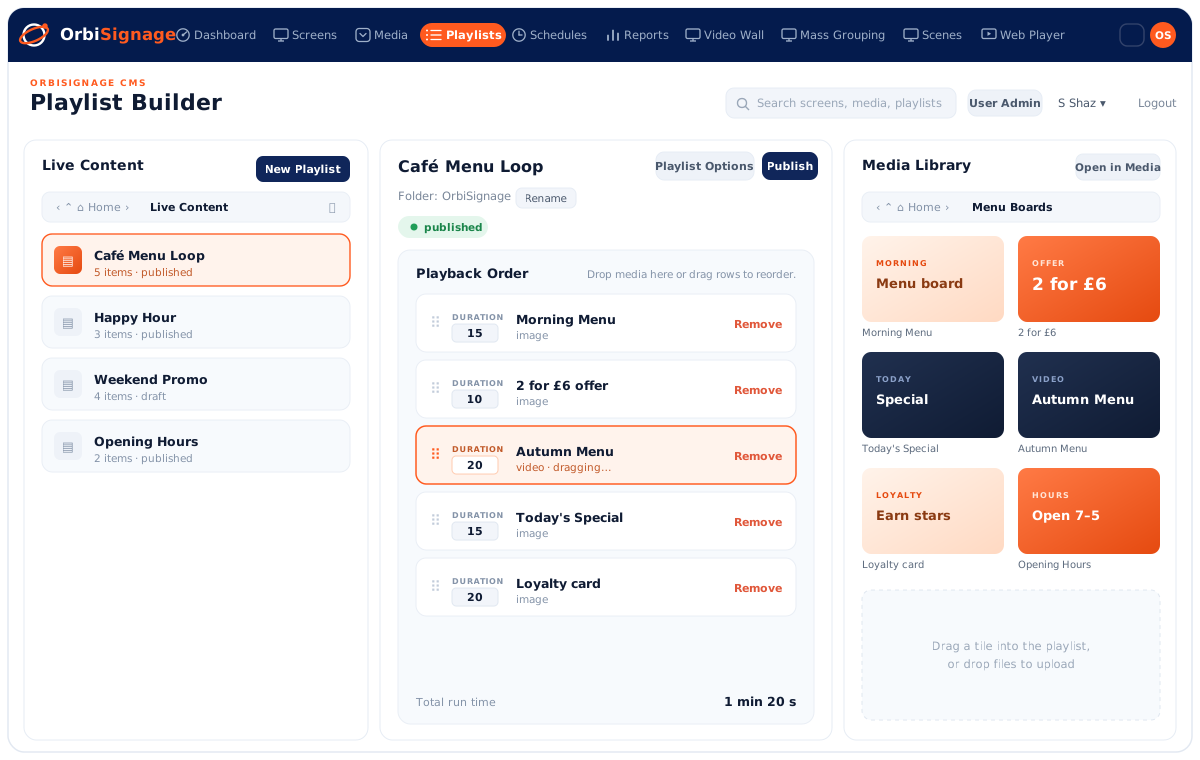
Drag assets from your media library into a playlist's playback order, set how long each item stays on screen, and hit publish. Your screens update over the air in seconds.
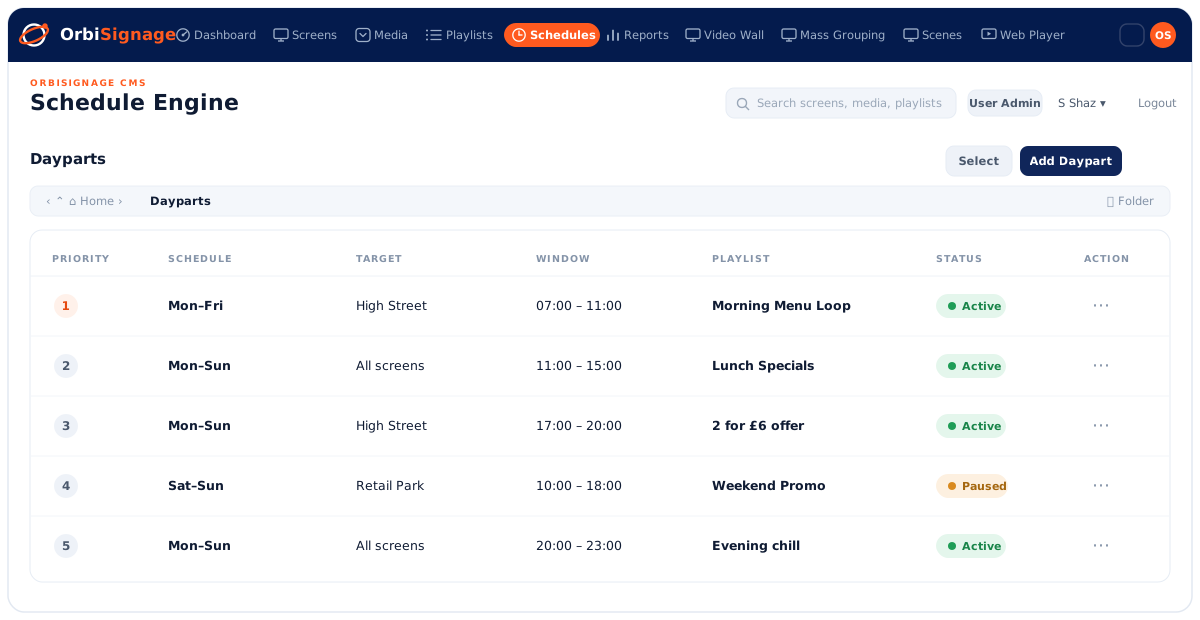
Show the breakfast menu in the morning, lunch specials at noon, the happy-hour offer at five. Priority-based dayparts switch your screens through the day, so you never have to.
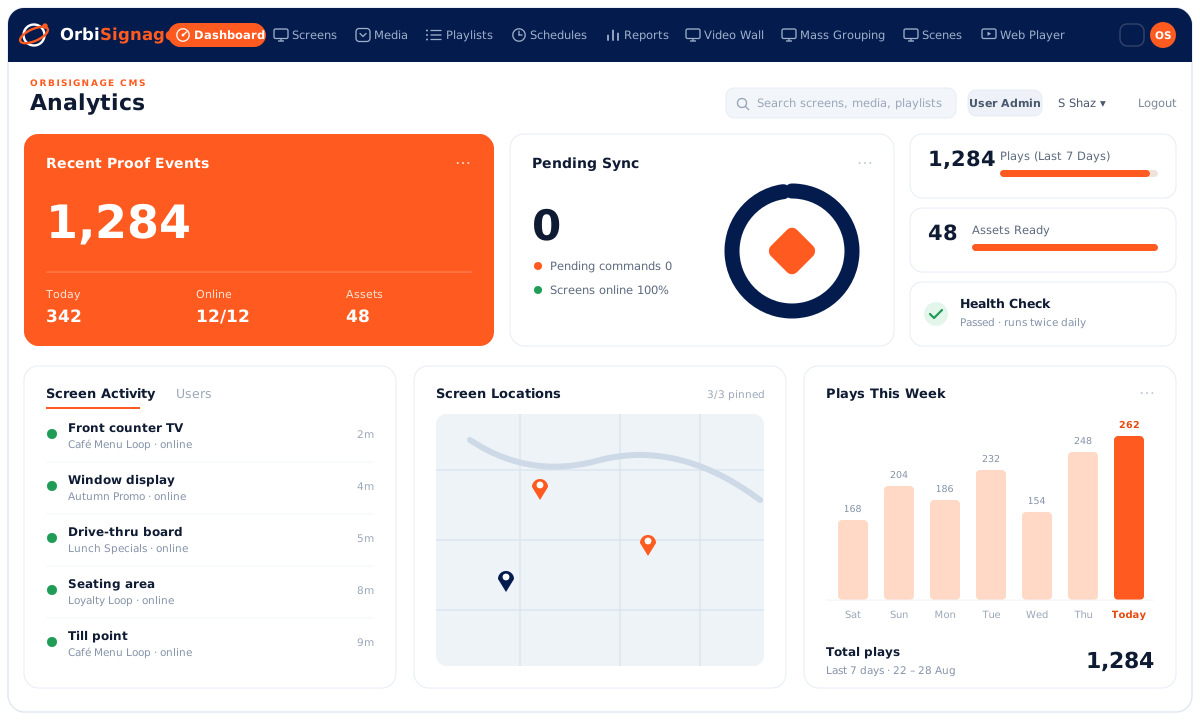
Recent plays, sync status, screen activity and a full proof-of-play trail, across every location, on one dashboard. Spot an offline screen the moment it drops, and export a report whenever you need one.
No bundles, no surprises. Scale up or down anytime. Prices shown per screen, per month.
Try OrbiSignage free on up to 3 screens for 7 days with 250MB of storage. Includes the OrbiSignage logo on screens. No credit card required.
Any Android TV device, an Amazon Fire TV device that runs Fire OS (such as the Fire TV Stick 4K Max or Fire TV Cube), a commercial display that runs Android, or just a web browser. Newer Fire TV Sticks that run Vega OS aren't supported yet. Install the OrbiSignage player, pair it with a 6-digit code, and you're live. Don't have a device yet? Order pre-configured players and start free in the same step.
You pay per active screen, per month, on your chosen plan. Add or remove screens at any time and your bill adjusts. The annual cycle saves 10%.
Yes. In offline-local mode, media is downloaded to each screen and played from local storage, so a brief outage never interrupts playback.
Yes. Organise screens into folders, group them for synced playback, and give each team member the right role, from view-only to full admin.
Yes. The Free trial covers up to 3 screens for 7 days with 250MB of storage, and no credit card is required.
Tell us a little about you and we'll get your free workspace ready. No card required.